A self-storage property is not one security problem. It is a series of handoffs: from a rental agreement to a credential, from the public road to a gate, from the drive aisle to an individual unit, and from a reported concern to an office response.
Problems become harder to investigate when those handoffs are disconnected. An office may have a gate event without useful video, a video clip without a reliable time reference, or an active credential whose account history is unclear.
Self-storage security planning should bring the access system, camera coverage, and operating procedures into the same discussion. Each serves a different purpose. None should be presented to customers as a guarantee that theft or unauthorized entry cannot occur.
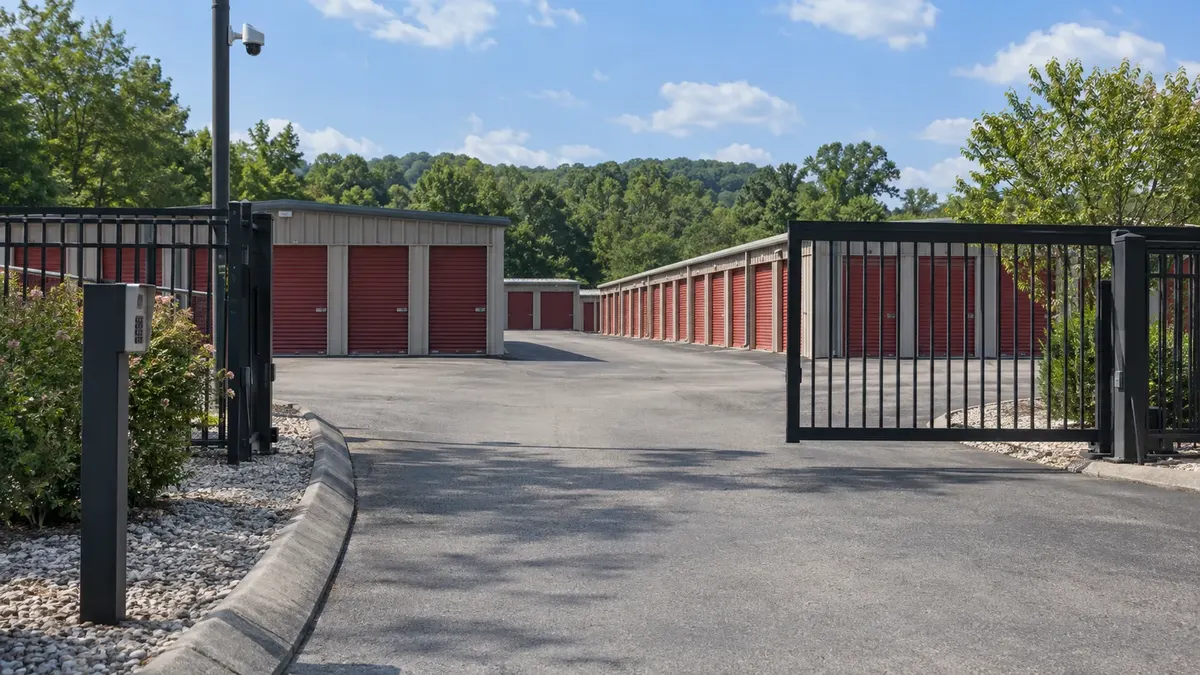
At the gate: know what an access event proves
A credential event can show that a system accepted a particular credential at a recorded time. By itself, it does not establish who physically used it, how many vehicles entered, or whether the person had permission to visit a particular unit.
That distinction matters when reviewing a complaint. Avoid treating a code record as conclusive identification or assuming the absence of an event proves that no one entered. A propped opening, shared credential, or vehicle following another can complicate the picture, depending on the site.
Define who issues credentials, verifies authorized changes, handles lost access, and reviews exceptions. Align the procedure with the rental agreement and applicable requirements. Do not make access or lockout decisions solely from a blog checklist when contractual or legal obligations need review.
Turner's commercial access control services are relevant to assessing controlled entries and permissions. Compatibility with a particular self-storage management or billing platform requires separate confirmation. It should never be inferred from the phrase integrated security.
In the drive aisles: assign a purpose to each view
Walk the property as an operator would. Identify the gate approach, office entrance, main vehicle routes, blind turns, and areas where customers load belongings. For each proposed camera, state the operational question it should help answer.
One view might show general movement through an aisle. Another may help document activity at an entrance. Those are different tasks, and they may require different placement, lighting, or image detail. A wide overview should not be described as capable of reading every plate or identifying every person at the property.
Review the view under actual operating conditions. Open roll-up doors, parked moving trucks, glare, landscaping, and changing light can affect what is visible. An empty-property walkthrough may miss the obstruction that appears whenever a customer unloads a large vehicle.
Ask how a staff member moves from a known time and location to the relevant recording. Camera names should be understandable to the office team, not only to the installer. Consistent location naming also helps someone covering a shift interpret an event.
At the office: make changes traceable
The security process continues after the hardware is installed. A change in tenants, employees, service vendors, or operating hours creates administrative work that someone must own.
Keep a documented method for approving access changes and confirming completion. Use individual staff accounts where the platform supports them, with permissions appropriate to the role. Limit access to tenant information and recordings to authorized purposes and personnel.
The office should also have a simple process for reported concerns. Capture the location, approximate time range, person making the report, and action taken. Preserve potentially relevant recordings through an authorized process when appropriate, rather than assuming the normal recording cycle will keep them indefinitely.
Avoid circulating clips casually among employees or other tenants. Requests for footage can involve privacy, contractual, investigative, or legal considerations. Identify who is authorized to decide how those requests are handled.
Gate security and gate safety are separate requirements
A camera watching a gate does not replace the gate operator's safety protections. Access controls do not establish that a moving gate is safe for vehicles or pedestrians.
UL's discussion of UL 325 and operator safety explains the standard's role in addressing hazards including entrapment for powered door and gate operators. Applicable code requirements, equipment listings, and the actual installation need qualified project-specific review.
Do not defeat sensors, alter operating behavior, or shorten gate timing as a do-it-yourself response to unauthorized entry. Have the responsible gate professional assess safety and operating concerns. Confirm who maintains the operator and safety devices; that scope is not automatically included in a camera or credential project.
Pedestrian routing also deserves its own review. Ask the appropriate professionals how people should move through the site safely instead of assuming the vehicle opening is suitable for every form of access.
Test the handoffs, not just the devices
A useful acceptance exercise follows a planned, authorized visit through the relevant systems. This is an operational test, not an attempt to breach the property.
- Confirm that a test credential has the intended permissions and schedule.
- Verify the expected event appears with the correct time reference.
- Find the corresponding camera recording using the office workflow.
- Have an authorized staff member retrieve a sample clip and confirm it opens.
- Remove or change the test permission and confirm the intended result.
Coordinate the exercise with the responsible providers and normal site operations. Keep tenants and employees out of unnecessary risk, and document any gaps rather than improvising hardware changes.
The result may show that equipment works but staff instructions are incomplete. It may reveal that a view does not answer the intended question or that access records and video use inconsistent time settings. Those findings help define a specific improvement instead of a vague request for more security.
Build around the property you operate
A single gated site, an indoor climate-controlled building, and a multi-property operation have different needs. Staffing, layout, customer access hours, internet connectivity, and existing equipment all affect the plan. Copying another facility's camera count is not a design process.
If you are assessing a self-storage property, begin with a site plan, current access procedures, and a short list of situations the office struggles to resolve. Turner Security Powered by TechCore can discuss those needs in the context of business camera coverage and access control. Call Nashville at (615) 223-9600 or Chattanooga at (423) 344-3787 for a facility-specific conversation, including which integrations and specialist responsibilities need verification.