Short answer: In a modern security camera, AI is the part that recognizes people and vehicles and applies your rules, but it can only work with the picture the camera gives it. Camera placement, angle, lighting and how much of the scene each camera tries to cover decide whether AI alerts are accurate. Most existing cameras can feed AI analytics; a few need to be moved, re-aimed or replaced.
The camera is the AI's eyesight
Marketing for AI cameras focuses on the software. In practice, the most common reason analytics underperforms is the view: a camera mounted too high, pointed into the sun, or trying to cover an entire parking lot at once. The software is asked to recognize a person who is a few pixels tall in the dark, and it misses or guesses.
Turner Security adds AI video analytics through the Eagle Eye cloud video platform to most existing camera systems, and the first step is always a review of the cameras themselves.
Five things that make a camera AI-ready
1. Mounting height and angle
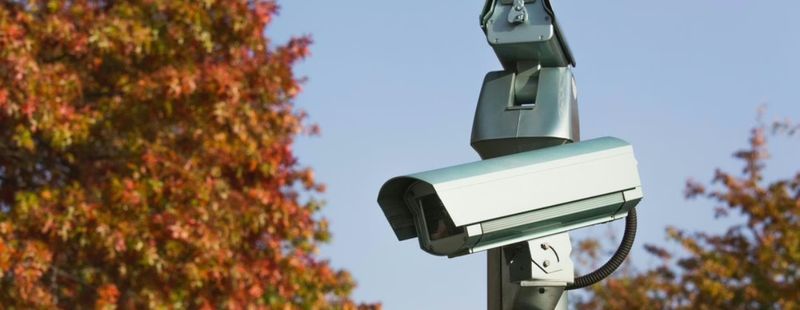
Very high mounts see a lot but look down on the tops of heads and roofs of cars. A moderate height with a gentler angle shows people and vehicles from the side, which is what recognition needs. If a camera mainly shows the ground directly below it, it is too steep.
2. Field of view vs. detail
A wide view covers more of the lot, but each person in it is smaller. If a rule depends on recognizing a person at the far fence, that fence needs a camera aimed at it rather than one wide camera trying to see everything.
3. Night performance
Most incidents happen after dark. Check what the camera actually shows at night, not the daytime image. Infrared range, nearby lighting and glare from security lights all change what analytics can see. Sometimes a light added near a gate does more than a new camera.
4. A clean detection zone
Flags, swaying trees, reflective puddles and busy roads in the frame create activity the software has to sort through. Aim cameras so the zone you care about fills the view and the street does not.
5. A steady network connection
Cloud analytics needs the camera's video to reach the platform reliably. A camera that drops off the network every afternoon cannot alert anyone.
Plate-reading cameras are their own category
General surveillance cameras rarely read plates well. License plate recognition cameras are placed and aimed at a chokepoint, like a gate or a single drive lane, where every vehicle passes at a predictable spot and speed. One well-aimed plate camera at the entrance usually does more than several wide cameras around the lot.
Keep, re-aim or replace?
A review of an office building in Red Bank with eight cameras installed several years ago might typically find:
- Entrance cameras that are fine as they are
- A parking lot camera mounted high on a corner that needs to be re-aimed toward the drive lane
- A rear camera with a weak night image that needs nearby lighting or a replacement
- No camera that can read plates, if plate search matters to the owner
That outcome is common. Most of the system stays, and the money goes to the few views that matter. When new cameras are needed, our business security camera installation places them for clear evidence and for analytics.
What the AI does once the view is right
With good views in place, AI video analytics recognizes people and vehicles, ignores most of the wind, shadow and animal motion that floods basic motion alerts, and applies your rules for zones and hours. Alerts can go to you or to live monitoring agents.
Questions about AI security cameras
Do I need to buy "AI cameras"?
Not always. Analytics can run on the cloud platform using video from most existing cameras. Some new cameras also have built-in analytics. We review what you have before recommending anything new.
Why does my current camera miss people at night?
Usually because of distance, low light or glare. Re-aiming, adding light or a camera closer to the area typically helps more than changing software.
How do I know which cameras need work?
A site review checks each camera's view day and night, its network connection and whether it can connect to the platform.
Get a camera-by-camera review
We will look at each view and tell you which cameras are ready for AI, which need adjustment and which need replacing. Call our Chattanooga office at (423) 344-3787 for Red Bank and the Chattanooga region, or our Smyrna office at (615) 223-9600 for Nashville and Middle Tennessee.