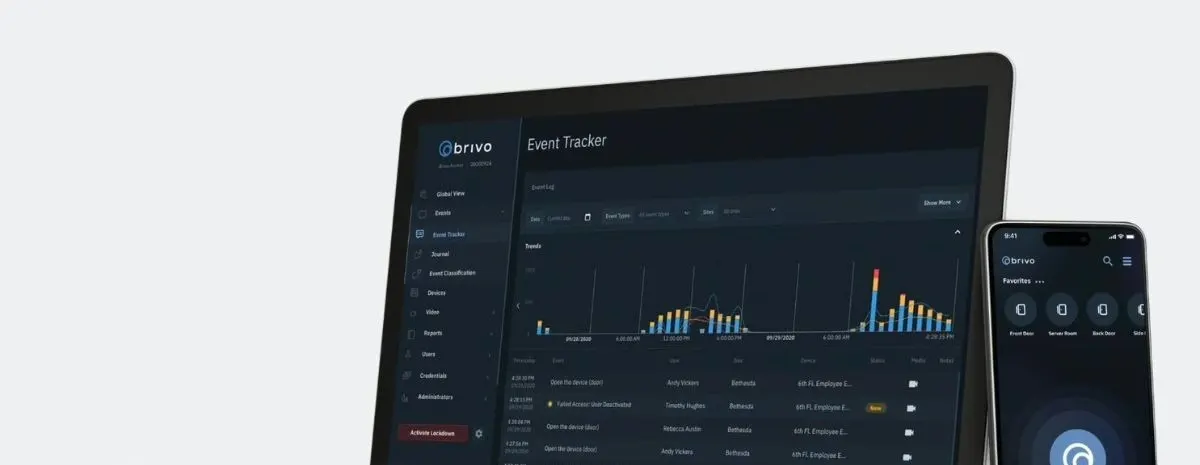
Short answer: Brivo cloud access control lets a business or property manager run the doors at every location from one online account. You set standard roles once and apply them everywhere, add a new site without a new server, give vendors and tenants access that ends on schedule and pull reports across all locations. For anyone managing more than one building, that replaces a pile of keys, separate systems and site visits.
Turner Security offers Brivo and has served businesses since 1976 from Smyrna and Chattanooga, including national customers with sites across the US and Canada. This post is about managing many doors across many places. If you are mainly deciding how employees will use phone credentials, see what Brivo Bluetooth changes day to day.
One account instead of one system per building
Older access control often meant a separate panel, software and login at each location. With a cloud platform, every site lives in one account. A regional manager can see which doors are locked in three cities from one screen, and an owner doesn't need someone on site to make a change.
Standard roles across every site
Decide once what each role can open and when, then apply it everywhere:
- Managers: all doors at their locations, all hours.
- Staff: exterior doors and work areas during their shifts.
- Maintenance: mechanical, electrical and roof access rooms.
- Corporate visitors: any location, business hours only.
Standard roles keep one site from quietly drifting into its own rules, which is how former employees end up with access years later.
Adding a new location
When you open or acquire a site, the new doors are added to the same account and the same roles apply on day one. Staff who move between locations don't need a new credential for each one.
Vendor, contractor and tenant access
- Vendors and contractors get access to the doors they need, during set hours, with an end date. When the project ends, access ends.
- Tenants in multi-tenant buildings can have access to their own suite plus shared entrances, without a master key changing hands.
- Move-outs are handled by removing the credential, not rekeying the building.
Property managers can see more in our tenant turnover security checklist.
Reports across all sites
Because every door reports to the same account, you can review who entered which site and when, spot after-hours entries and check that former staff and vendors are gone. Pairing door events with video makes it easier to confirm who was actually there.
A quarterly review for multi-site accounts
- Export the user list for every location and remove anyone who has left or finished a project.
- Check that each site still uses the standard roles and hasn't added one-off exceptions.
- Look for doors with repeated after-hours entries or forced-open events.
- Confirm the admin list is short and current at every location.
Twenty minutes a quarter keeps a growing portfolio from collecting old credentials.
Frequently asked questions
Can we keep the doors and hardware we have?
Often. Existing electric strikes and maglocks can frequently be reused. We check each location before quoting.
What if a site loses internet?
Ask how doors and credentials behave during an outage at each location, and plan door behavior for power loss with your local fire code official in mind. We cover this during design.
Who supports sites outside Tennessee?
Turner serves multi-site customers across the US and Canada from our Smyrna and Chattanooga offices. Our help desk resolves the majority of service issues remotely, and we coordinate on-site service for locations outside our local area.
Plan access for every location
See our commercial access control and national accounts pages, or request a free assessment and we'll review your sites and recommend standard roles.