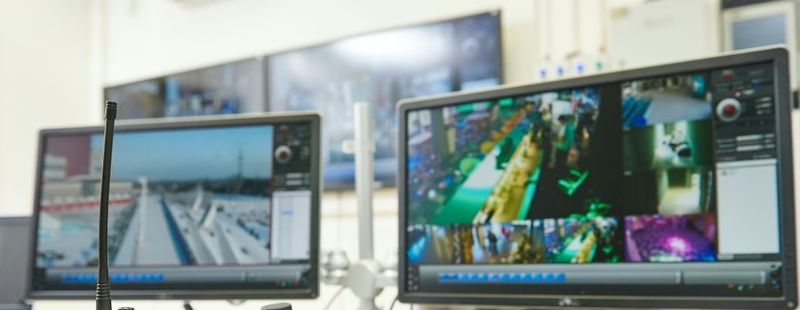
Short answer: Switch to cloud-based security cameras if your video lives on a single recorder in a back office, because that box is the easiest part of the system to steal, break or lose. Cloud video keeps footage off site, lets you watch every location from your phone and makes smart alerts practical, often without replacing the cameras already on your walls.
That last part surprises a lot of business owners. Moving to the cloud is usually a change in where video is stored and how it is managed, not a full tear-out. Here are the five reasons we hear most often from commercial customers in Middle Tennessee and the Chattanooga area, plus what to check before you make the move.
1. The recorder stops being a single point of failure
With a traditional system, every camera feeds one network video recorder (NVR) or DVR. If someone breaks into a Murfreesboro retail store and pulls that recorder off the shelf, the evidence leaves with them. The same thing happens when a hard drive fails quietly, a power surge hits during a summer storm or a leaky roof drips into the equipment closet. With cloud storage, video is copied off site as it is recorded, so a stolen or damaged box does not take your footage with it.
2. You can check on the business without driving there
An alarm at 2 a.m. used to mean getting in the truck. With cloud cameras, an owner or manager opens the app, sees whether it is a person, an animal or a delivery driver at the wrong door, and decides what to do next. That matters most when the decision maker lives a long way from the site, like a Lebanon distribution yard run by someone who lives in Brentwood.
3. Multiple locations show up in one place
If you run three restaurants, a handful of clinics or offices in both Nashville and Chattanooga, separate recorders mean separate logins, separate apps and separate headaches. A cloud platform puts every site in one account. You can give a regional manager access to their stores only, pull up the same camera angle across all locations and remove a former employee's access everywhere at once.
4. Smart alerts become practical
Cloud platforms are where modern video analytics live. Turner Security uses the Eagle Eye platform, which can be added to most existing camera systems. Instead of a motion alert every time a tree branch moves, you set alerts for the events that matter to you: a group lingering near the back door longer than a set time, a vehicle entering the lot after hours or a specific plate at the gate using license plate recognition. See how that works on our AI video analytics page.
5. Updates and growth get simpler
An on-site recorder has a fixed number of channels and a fixed amount of storage. Add a building or a second parking lot and you may outgrow it. Cloud systems grow by adding cameras to the account. Software updates are handled centrally, which means fewer forgotten boxes sitting in closets running firmware nobody has touched in years.
What to check before you switch
Cloud video is not automatically the right answer for every camera on every site. A short assessment should cover four things:
- Upload bandwidth. Cloud video uses your internet connection. A site with a weak connection may need an on-site bridge that records locally and sends video to the cloud as the connection allows.
- Which cameras can stay. Many existing IP cameras can connect to a cloud platform. Very old analog cameras may need an encoder or replacement.
- How long you keep video. Retention needs differ by business, so decide this up front rather than after an incident.
- Who gets access. Set up user roles before anyone gets a login.
Because Turner Security and TechCore, our business IT team, are one company, the network side of that assessment is handled by the same people planning the cameras. For background on recorder types, read our guide to NVR vs DVR vs VMS.
Frequently asked questions
Can I keep my existing security cameras if I switch to the cloud?
Often, yes. Many IP cameras installed in recent years can connect to a cloud video platform through a small on-site bridge. Older analog cameras may need an encoder or replacement. A site walk-through is the quickest way to know.
What happens to cloud video if my internet goes down?
Systems designed with an on-site bridge or local storage keep recording during an outage and upload when the connection returns. Ask how any system you are quoted handles outages before you buy.
Is cloud video only for large companies?
No. A single-location business with a handful of cameras benefits from off-site storage and phone viewing just as much as a chain does, because the recorder risk is the same.
Moving your cameras to the cloud
If your footage still lives on one box in a closet, start with a look at what you already have. Turner Security can tell you which cameras can stay, what your internet connection can handle and what a cloud move involves, with no long-term contract. Learn more about our business security camera systems, or call our Smyrna office at (615) 223-9600 or our Chattanooga office at (423) 344-3787.