Short answer: Smart security changes retail loss prevention by moving attention away from the sales floor, where most stores already have cameras, to the places losses actually slip through: the receiving door, the stockroom, the register at shift change and the lot after closing. Cameras placed for identification, AI alerts that flag specific behavior, and door access tied to individual employees let a store owner find problems while they are happening instead of during the next inventory count.
Start with where the shrink is, not where the cameras are
Walk most independent stores in Franklin, Hixson or Murfreesboro and you will find a dome camera over each aisle and a monitor by the register. That setup deters casual shoplifting, but owners who dig into their losses usually find several other sources:
- Merchandise leaving through the back door with trash or returns
- Deliveries signed for but short
- Cash handling problems at opening, closing and shift change
- Stockroom access by people who do not need it
- After-hours break-ins through side or rear entrances
A smart system is mostly about covering these with the right tools, not adding more aisle cameras.
Five spots to cover, and what to use at each
1. The receiving and rear door
Put a camera at door height facing in, so you get faces of everyone who uses it, and a second one outside covering the dumpster area. An AI rule can alert a manager when that door area sees activity outside of delivery hours.
2. Registers and the cash office
Cameras over registers should show the drawer and the customer side of the counter clearly. The cash office or safe area should be covered from an angle that shows who opened it and when. Pair this with your point-of-sale reports when something does not reconcile.
3. The stockroom
This is where access control pays for itself. Give each employee their own card, fob or phone credential and limit stockroom access to the people who need it. When something goes missing, the entry history shows who was in the room, and the camera shows what they did.
4. The parking lot and drive lanes after close
Loitering at closing time is both a theft risk and a staff safety concern. Analytics can send an alert when a group stays in a set area longer than the time you choose. For stores with a drive lane or loading area, license plate recognition can log vehicles that come and go.
5. Overnight
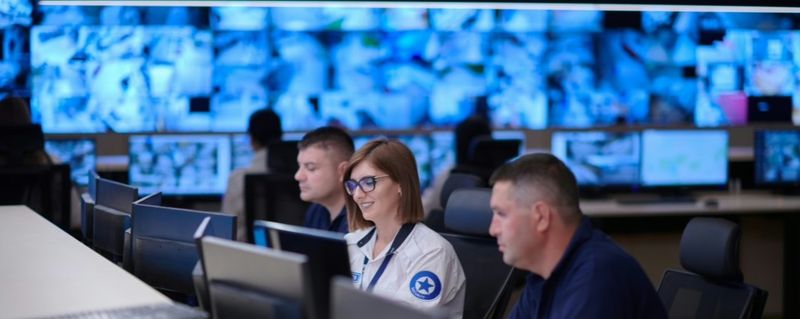
Recorded video tells you what happened. Live monitoring tries to stop it. A monitoring agent who sees someone at the back door at 2 a.m. can speak through an outdoor speaker and call police if they stay.
How AI alerts fit a small retail team
No store manager has time to watch screens. The value of AI video analytics is that it watches for the rules you set and sends you the clip. Turner Security adds analytics to most existing business camera systems through the Eagle Eye cloud platform, so many stores can start with the cameras they already have. Typical retail rules include after-hours motion at a rear door, loitering near the entrance after close, and overfull dumpster areas that invite dumping. Read more on our AI video analytics page.
The first few weeks matter. Rules that fire too often get ignored, so we adjust them after the system has run for a while.
Do not skip camera placement
Analytics only work on usable video. If a camera is aimed into the glare of a front window or mounted too high to see faces, no software will fix it. Our commercial security camera installation process starts with a walk of the store to mark every view you need at doors, registers, the stockroom and the lot.
FAQ
Can I add smart alerts to the cameras my store already has?
In most cases, yes. AI analytics on the Eagle Eye platform work with most existing business camera systems. We review your cameras and recorder first to confirm what can connect.
Is access control worth it for a single small store?
For stores with turnover or a stockroom holding high-value product, it often is. Removing a former employee's access takes minutes, and every entry is logged by person. See commercial access control for how it works.
Does live monitoring replace a night guard?
Many businesses use live video monitoring to replace or reduce guard shifts. Agents can watch several camera views at once and speak to people on site.
Have Turner walk your store
Turner Security has served Tennessee businesses since 1976 and does not require long-term contracts on security or monitoring. If you want a fresh look at where your store is losing product, call our Smyrna office at (615) 223-9600 or our Chattanooga office at (423) 344-3787 and we will set up a walkthrough.